
Smart Lock How-To
Schlage Encode Reset: How to Reset Your Lock
A Schlage Encode reset can help when you need to clear settings or start setup again. Use the instructions for your exact model, and make sure you can still enter your home before changing the lock’s settings.
- Follow the steps for your exact model
- Keep the door open while testing
- Check power before resetting
- Know when to call a locksmith
What You Need Before You Start
A reset can remove settings you rely on, so take a moment to prepare before you begin. These checks help you avoid being locked out or having to repeat setup.
- The exact model information — Find the model name or number on your lock or its paperwork. Schlage Encode products can have different instructions, so use the manual for your exact model rather than relying on a generic reset sequence.
- The manufacturer’s manual — Keep the manual available while you work. Use the manufacturer’s directions for the reset and setup process, including which buttons to press and when to release them.
- Access to the door from both sides — Do the reset while the door is open and keep it open until you have tested the lock. Make sure you have another way to enter your home before clearing any codes or settings.
- Current settings you want to keep — Write down the user codes and other setup details you are authorized to manage. A factory reset can clear saved codes and other settings, so plan to configure the lock again afterward.
- Working batteries — Check the lock’s power and follow the manual’s guidance for battery replacement. A reset or setup process can fail if the lock loses power while you are following its instructions.
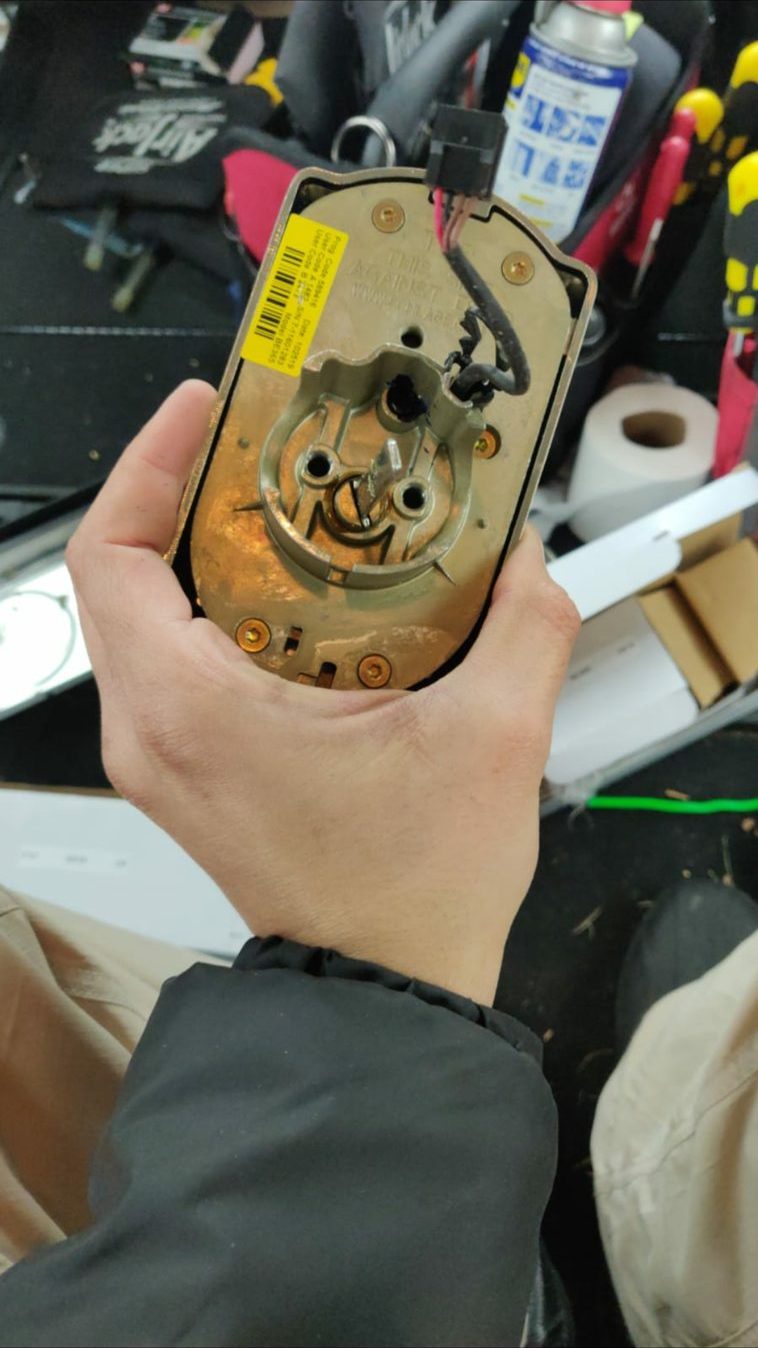
Schlage Encode Reset: Follow These Steps
There is no single reset sequence that applies to every lock. Treat the steps below as a safe preparation and testing guide; use your model’s manual for the button sequence and any product-specific requirements.
- Confirm the lock and the reason for resetting — Check that the lock is a Schlage Encode and identify its exact model. Decide whether you need a factory reset or only need to change a code or setting. A full reset is not necessary for every setup issue.
- Read the reset instructions before touching the lock — Find the reset section in the manual for your model and read it through first. Note any required codes, button sequence, battery steps, or follow-up setup instructions. Do not substitute a sequence from a different Schlage lock.
- Keep the door open and make the work area safe — Open the door and keep it open throughout the reset and testing. Use only the controls and battery access intended for an owner, and avoid forcing the cover, keypad, or other parts.
- Check power and gather the setup information — Make sure the batteries are installed as directed and that you have the information needed for the next setup. If the manual requires a programming code or other authorized credential, locate it before starting. Do not try to bypass the lock if you do not have the required information.
- Perform the reset exactly as directed — Follow the manual’s instructions for your model in the order given. Press and release only the buttons it identifies, and wait for the signals or prompts described there. Stop if the lock does not respond as the manual says.
- Set up the lock again — After the reset, follow the manufacturer’s setup directions to create new access codes and restore the settings you need. If you use connected features, follow the model’s instructions for reconnecting or configuring them.
- Test before closing the door — With the door still open, test the keypad and the lock’s operation using the new settings. Check that the bolt moves as expected and that you can use your chosen code. Close the door only after the lock works as intended.
If the Schlage Encode Reset Does Not Work
If the lock does not follow the manual’s instructions, pause before repeating the reset. Check these common issues first, and avoid forcing any part of the lock.
The instructions do not match the model
A different model may use a different reset sequence. Confirm the model information and return to the matching manufacturer’s manual.
The lock has low or interrupted power
Check the batteries and their installation using the manual’s directions. If the lock loses power during setup, restore power as instructed before trying again.
A required code or setup detail is missing
Some steps require information assigned to the lock or details from its original setup. Check the product documentation or contact the manufacturer for help recovering the proper instructions; do not attempt to bypass the lock.
The lock does not respond as described
Stop if the keypad, indicators, or bolt behave differently from the manual. Repeating an unfamiliar sequence or forcing the mechanism can make the problem harder to diagnose.
When to Call a Locksmith Instead
Call a locksmith if you cannot identify the right reset instructions, the lock does not respond after you follow them, or you need help with smart lock installation or repair. Locksmith Xpress provides mobile locksmith service at homes, cars, and businesses in Gaithersburg and throughout Montgomery County; there is no storefront to visit. We are open Monday to Sunday, 8:00 AM to 8:00 PM. Learn more about Schlage Encode installation & repair, or contact us for help.
Frequently asked questions
Will a factory reset erase my Schlage Encode access codes?
A factory reset can clear saved access codes and other lock settings. Before you begin, check the manual for your exact model and make sure you have what you need to set the lock up again.
Can I reset my Schlage Encode if I do not have the programming information?
Check the product documentation and follow the manufacturer’s owner instructions for your model. If you are missing required information, do not try to bypass the lock; contact the manufacturer or a locksmith for guidance.
Why will my Schlage Encode not accept a new code after a reset?
The reset may not have completed, the instructions may not match your model, or the lock may need power checked. Keep the door open and use the manual’s troubleshooting steps before attempting another reset.
Can Locksmith Xpress help with a Schlage Encode in Gaithersburg?
Locksmith Xpress offers mobile smart lock and keypad installation and lock repair in Gaithersburg and across Montgomery County. We come to your location, so you do not need to visit a storefront.
Need Help With Your Smart Lock?
If your Schlage Encode still will not reset or work as expected, call Locksmith Xpress at (301) 806-1626 or contact us.