
Are Smart Locks Safe?
Yes—smart locks can be safe when you choose one that fits your door, secure its account and access settings, and maintain its batteries. They still need sound door hardware and careful access control; a smart lock does not remove every risk.
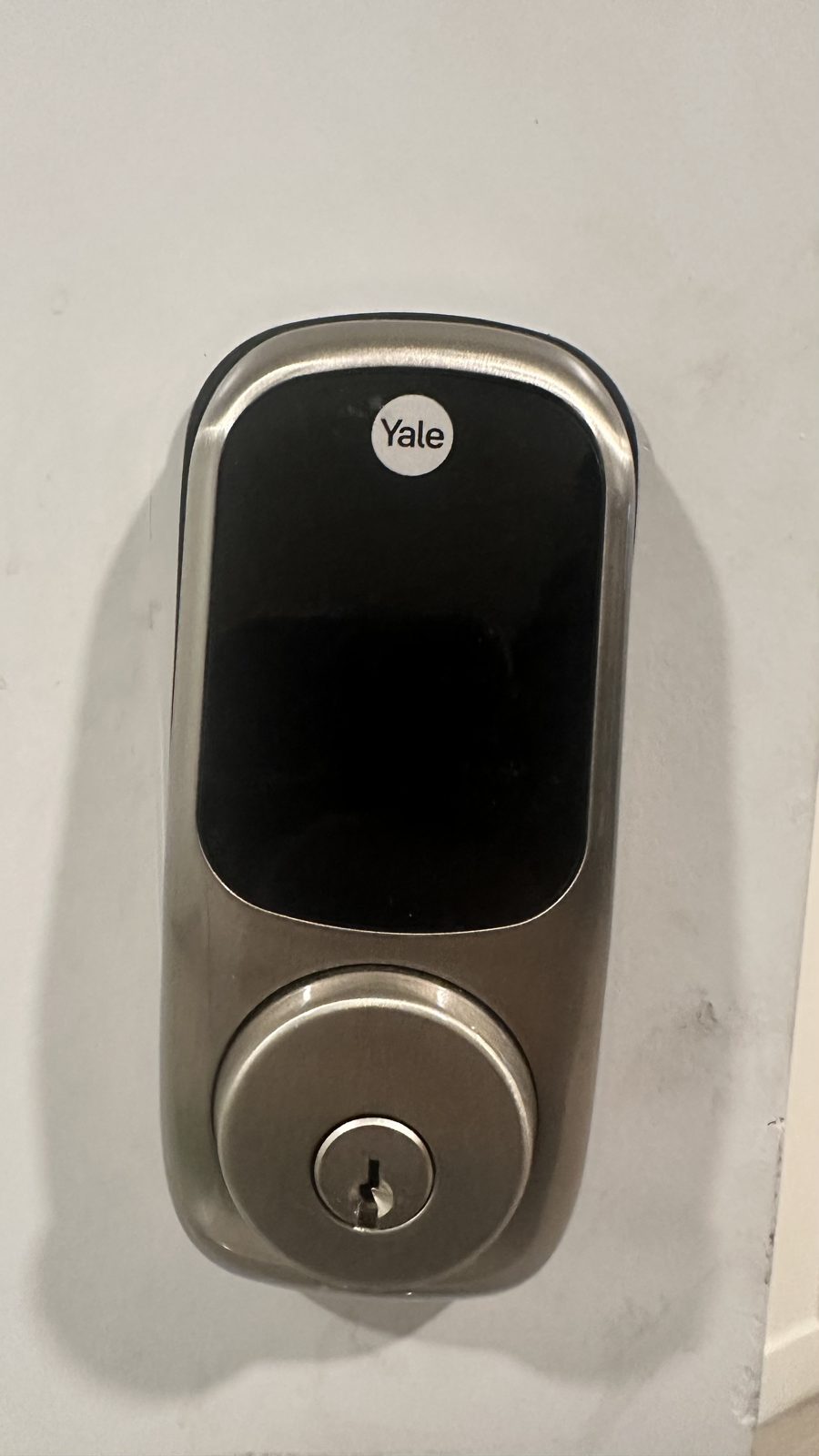
Are Smart Locks Safe? Start With the Door and Access
A smart lock can be a safe choice for a home when its physical hardware is appropriate for the door and its electronic access is configured carefully. It replaces or supplements some parts of a conventional lock, but it does not make a weak door, loose hardware, or an exposed entry point secure on its own.
Think of safety in two parts: physical security and access security. Physical security depends on the lock, door, frame, and how firmly the hardware is attached. Access security depends on who can use a key, code, app, or other method and whether you remove access when it is no longer needed.
A connected lock can also introduce account and network considerations. Someone who obtains an account password or a working access code may be able to use the functions that the lock provides. Choose a lock with access methods that suit your household, then secure every method you plan to use.
No lock prevents every kind of unauthorized entry. A smart lock should be one part of a sensible home-security plan, alongside a door and frame in good condition, controlled access, and habits that keep entry points secured.
Choose the Smart Lock Features That Fit Your Household
The right option depends on how you use the door and what happens if a phone, network connection, or battery is unavailable. Compare the access methods and backup plan before choosing a lock, rather than choosing by app features alone.
Keypad access
A keypad lets an authorized person enter a code instead of carrying a key. It can suit households that need to share access, but codes should be difficult for others to guess and removed or changed when they are no longer appropriate.
App or connected access
An app may provide remote features, access management, or activity information, depending on the lock. It depends on account security and, for some functions, a working phone or network connection, so do not assume every feature will be available during an outage.
Keyed backup
Some smart locks retain a physical key option, while others use different backup methods. Check the specific lock’s instructions and decide whether its backup method works for your household before installation.
Automatic locking
An automatic-locking function can help secure a door after someone leaves, if the lock offers it and the setting is configured. Confirm that the door closes and latches properly; automatic locking cannot correct a door that does not align.
Check These Things Before Installing a Smart Lock
A little preparation helps you avoid installing a lock that does not fit or setting up access you cannot manage. Read the instructions for the exact lock you have, and compare them with your door before removing existing hardware.
- Door and existing lock — Check whether the door and existing lock are in good working condition. Look for loose hardware, a door that rubs, or a latch that does not enter the strike plate cleanly; address those issues before relying on new electronic features.
- Compatibility information — Use the lock’s installation instructions to check the door type, thickness, existing hole, and required clearances. Do not assume that a lock will fit simply because it looks similar to the hardware already on the door.
- Access methods — Decide who needs access and which methods each person will use. Keep the number of codes and accounts limited to the people who need them, and know how to remove access when circumstances change.
- Power and backup plan — Find out what batteries or other power source the lock uses, how it signals low power, and what the instructions say to do if power runs out. Identify the backup entry method before you depend on the lock.
- Phone and account readiness — If you plan to use an app, confirm that you can create and protect the required account. Use a unique password and enable additional account protection if the service offers it.
- Household routine — Consider who will manage codes, what happens when a household member loses a phone, and how you will share access temporarily. A simple plan reduces the chance that old access remains active.
Install and Set Up a Smart Lock in Careful Steps
Follow the instructions supplied with your exact lock; parts and installation details vary. These owner-level steps help you check fit and function without altering the lock or trying to defeat it.
- Read the full instructions — Lay out the lock parts, mounting plate, screws, batteries, and any included tools. Check that the listed parts are present and that the instructions match your door and existing lock.
- Test the door and latch — With the door open, operate the existing lock and check that the latch moves freely. Then close the door and confirm that it aligns with the strike plate; correct door or latch problems before installing the new lock.
- Remove existing hardware as directed — Use the screwdriver or other tool specified by the lock instructions, and keep the removed parts together. Stop if a part is stuck, damaged, or does not match the diagrams rather than forcing it.
- Fit the new lock components — Position the exterior and interior parts and mounting plate in the order shown by the instructions. Check that cables, if present, are routed as directed and that the parts sit squarely against the door.
- Secure the mounting screws — Tighten the supplied screws as instructed, without forcing them or leaving the lock loose. Check that the keypad or interior assembly does not shift and that the bolt can move as intended while the door is open.
- Install the batteries — Use the battery type and orientation specified for the lock. Check that the device powers on and shows the expected setup signal before moving on to programming.
- Set up the app or keypad — Follow the lock’s instructions to pair an app, create an administrator account, or program codes. Use a unique account password and avoid codes that are easy to guess from personal details.
- Test before relying on it — With the door open, test each access method you plan to use and confirm that the bolt fully extends and retracts. Then close the door and test the latch again; if it binds, misaligns, or behaves inconsistently, stop and correct the fit before using the lock as your regular entry.
Secure Smart Lock Codes, Accounts, and Batteries
Treat codes and app access like keys. Share them only with people who need entry, avoid obvious number sequences, and do not reuse a code that other people already know. If the lock supports individual codes, use separate access for people who need different levels or periods of access.
Review access when a household member moves out, a temporary arrangement ends, or you believe a code has been shared beyond the intended person. Remove app users or change codes using the lock’s instructions. If you are unsure how to revoke access, consult the product instructions or its support channel rather than leaving unused access active.
Protect the account connected to the lock with a unique password. Turn on additional verification if available, keep the associated phone protected, and install software or firmware updates through the manufacturer’s recommended process. Do not share account credentials as a substitute for assigning appropriate access.
Pay attention to low-battery warnings and replace batteries as directed. Keep the backup entry method available and make sure household members know how to use it. If you rely on an app, remember that a phone battery, network, or service interruption may affect some functions, depending on the lock.
Review the lock’s privacy and notification settings, too. Activity records and alerts can be useful, but their availability and handling vary by product. Set them according to your household’s needs and follow the product guidance for managing account and device information.
Know What Can Go Wrong and How to Respond
Most problems call for a careful check, not force. Do not pry at the lock, try to bypass its electronics, or keep operating a mechanism that is binding. If the door is yours and you are authorized to work on it, use the product instructions and stop when the cause is not clear.
- The bolt will not move smoothly — The door or strike plate may be out of alignment, or the lock may not be seated correctly. Test it with the door open; if it works open but binds when closed, address the alignment problem before relying on automatic locking.
- The keypad or app does not respond — Check the battery and the lock’s setup instructions first. For app functions, check the phone, account, and connection that the feature requires; use the backup entry method described by the manufacturer if it is available.
- A code or user should no longer have access — Use the lock’s official settings to remove that code or user, then confirm the change according to the instructions. If you cannot manage access or suspect that an account has been compromised, secure the account and contact the lock’s support channel.
- The lock is loose or damaged — Stop using features that depend on the damaged part and avoid forcing the bolt. A loose or damaged installation can affect the lock’s operation; have the door hardware inspected and repaired before relying on it.
- You cannot enter or secure the door — Use only an authorized backup method provided for your lock. If the lock is not functioning and you cannot restore safe operation through its instructions, contact a locksmith rather than attempting to open or bypass it.
Know When to Call a Locksmith for Smart Lock Installation
A capable homeowner may be able to install a lock by following its instructions when the hardware fits the door and the existing door and latch work correctly. Call a locksmith if the parts do not match the door, the mounting is loose, the bolt binds, or you cannot confirm that the lock fully secures the door.
Professional help also makes sense when you need a lock changed or installed but are unsure which hardware fits, or when an existing lock or door problem needs attention first. Do not drill, force, or modify a door based only on a guess about the required dimensions.
Locksmith Xpress offers smart lock & keypad installation service. We are a mobile locksmith based in Gaithersburg, serving Montgomery County, and do the work at your home or business rather than at a storefront.
If you are comparing options for your entry, use the Locksmith Xpress locksmith in Gaithersburg page to see the services we offer. When you are ready to discuss your door and lock, contact us.
Frequently asked questions
Are smart locks safer than regular locks?
Not automatically. A smart lock adds access methods such as a keypad or app, but the door, frame, lock installation, and access settings still matter. Compare the physical fit and backup plan as well as the electronic features.
Can a smart lock work without Wi-Fi?
Some functions may work without Wi-Fi, while remote or connected features may depend on a network, account, or phone. Check the instructions for the specific lock to see which functions remain available if the connection goes down.
What happens if a smart lock battery dies?
The result and backup options depend on the lock. Check its low-battery warning, battery replacement instructions, and authorized backup entry method before you install it, and do not assume every model uses the same method.
Should I call a locksmith to install a smart lock?
You can follow the product instructions yourself if the lock fits and your door and latch work properly. Contact a locksmith if the hardware does not fit, the bolt binds, the door is damaged, or you cannot confirm that the lock secures the door.
Need Help With a Smart Lock?
Locksmith Xpress provides mobile smart lock and keypad installation in Gaithersburg and throughout Montgomery County. Contact us to discuss your door and access needs.